
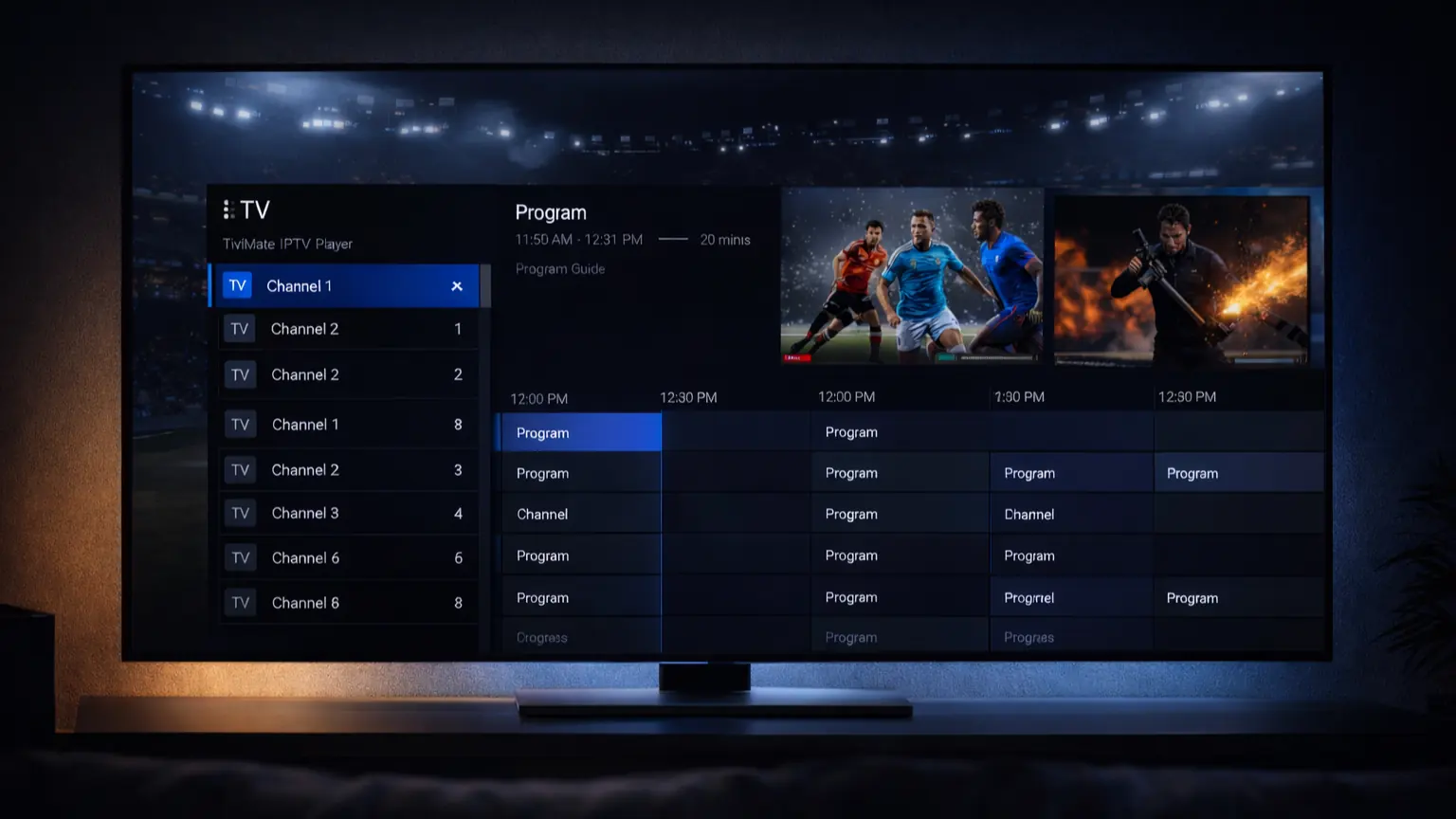
If you’re located in the United States or Europe and looking for a powerful, professional IPTV experience on Firestick or Android TV, TiviMate IPTV Player is widely considered one of the most advanced IPTV apps available in 2026.
In this complete guide, you’ll learn what TiviMate IPTV Player is, whether it’s legal in the USA and Europe, how to set it up correctly, and how to choose a reliable IPTV service for TiviMate without buffering, instability, or risks.
What Is TiviMate IPTV Player?
TiviMate IPTV Player is a premium IPTV player designed specifically for Android TV–based devices, offering a professional, cable-TV–like interface for advanced users. It functions strictly as a media player, which means it does not provide live TV channels or content on its own.
Instead, the app allows users to load live TV channels and VOD content from an external IPTV service using supported formats such as Xtream Codes API or M3U playlists with EPG.
TiviMate is officially available for Android TV devices, ensuring a secure and legitimate installation source.
To unlock its full potential, you need a reliable IPTV subscription compatible with TiviMate. A high-quality IPTV service allows you to access thousands of live TV channels, sports, movies, and series in HD and 4K without buffering.
👉 Explore our IPTV subscription plans to get started with a fast and stable streaming experience.
You can also check our IPTV channels list to see the full range of content available before choosing your service.
Supported Devices
- Amazon Firestick (USA & Europe)
- Android TV Boxes
- Nvidia Shield
- Android Smart TVs
⚠️ Important:
To watch live TV, you must connect TiviMate to an external IPTV service for TiviMate using:
Xtream Codes API (recommended)
M3U playlist with EPG
Is TiviMate IPTV Player Free?
Yes, TiviMate IPTV Player offers a free version, but it comes with clear limitations.
Free Version (What You Actually Get)
- Basic channel playback
- Add one playlist (M3U or Xtream Codes)
- No advanced EPG (TV Guide)
- No recording (DVR)
- No multiple playlists
- Limited customization options
⚠️ Important:
The free version is suitable only for testing, not for daily or long-term use.
Premium Version (Recommended)
- Advanced EPG (full TV guide)
- Recording (DVR)
- Multiple playlists
- Faster navigation & smoother UI
- Full customization
💡 For users in the USA and Europe, the Premium version is strongly recommended for stability and comfort.
Why TiviMate IPTV Player Is the Most Advanced IPTV App in 2026
The TiviMate IPTV app stands out because it delivers a real cable-TV–like experience, especially on Firestick and Android TV devices.
Key Advantages
- Professional and modern interface
- Fast channel switching
- Excellent EPG integration
- Optimized for Firestick and Android TV
- Ideal for live sports, news, and daily TV use
Compared to alternatives like IPTV Smarters, TiviMate offers better stability, cleaner navigation, and more advanced customization for experienced users.
How Does TiviMate Work With IPTV Services?
TiviMate works by loading live TV channels and VOD content from external IPTV providers. To use the app properly, you need a stable and compatible iptv service for tivimate that supports Xtream Codes API and delivers smooth performance on Firestick and Android TV devices.
The overall streaming experience—including channel stability, video quality, and EPG accuracy—depends entirely on the IPTV service connected to TiviMate. This is why choosing a provider optimized for users in the USA and Europe is essential to avoid buffering, freezing, or unreliable channels.
What a Good IPTV Service for TiviMate Should Offer
- Servers optimized for USA & Europe
- No buffering during live sports
- Full HD & 4K streaming quality
- Fast channel loading
- Accurate and updated EPG data
👉 Tip: Always test an IPTV service before committing to a long-term subscription.
Best IPTV Service for TiviMate (USA & Europe)
When choosing an IPTV service compatible with TiviMate, make sure it includes:
- USA & EU optimized servers
- Firestick & Android TV support
- Sports, movies & international channels
- Free trial before payment
👉 Try a reliable IPTV service fully compatible with TiviMate – Free Trial Available
How to Set Up TiviMate IPTV Player (Quick Overview)
Step 1: Install the App
Download TiviMate IPTV Player on your Firestick or Android TV device.
Step 2: Add IPTV Credentials
Enter your Xtream Codes API or M3U playlist URL provided by your IPTV service.
Step 3: Load EPG
Enable the EPG to access the full TV guide.
✅ That’s it. Your IPTV service is now ready to use.
Is TiviMate Legal in the USA and Europe?
✅ Yes. TiviMate IPTV Player itself is 100% legal in both the United States and Europe.
However:
Legality depends on the IPTV service you connect
Some IPTV content may be restricted by copyright laws
This is why choosing a trusted IPTV service for TiviMate is essential.
Is TiviMate Safe to Use?
Yes, TiviMate IPTV Player is safe as an application.
Safety Tips for USA & Europe
Avoid public or unknown playlists
Choose reputable IPTV providers
Use stable home internet connections
TiviMate does not spy on users or track viewing activity.
Does TiviMate Come With Channels?
❌ No.
TiviMate is an IPTV player only, not a content provider.
You must connect it to an external IPTV service to watch channels.
Does TiviMate Come With Channels?
Safety Tips for USA & Europe
| Feature | TiviMate | IPTV Smarters |
|---|---|---|
| EPG Quality | ⭐⭐⭐⭐⭐ | ⭐⭐⭐ |
| Performance | ⭐⭐⭐⭐⭐ | ⭐⭐⭐ |
| Firestick Support | Excellent | Good |
| User Interface | Professional | Basic |
➡️ TiviMate IPTV Player is the superior choice for advanced users.
Frequently Asked Questions (USA & Europe)
What devices does TiviMate IPTV Player support best?
TiviMate IPTV Player is optimized primarily for Android TV–based devices, including Firestick, Nvidia Shield, and Android TV boxes. It is not designed for iOS or web browsers, which makes it ideal for users who prefer a big-screen, remote-friendly IPTV experience.
What type of IPTV connection works best with TiviMate?
The most reliable connection method for TiviMate is Xtream Codes API, as it provides faster loading times, better EPG synchronization, and improved playlist stability compared to basic M3U links. This is especially important for users in the USA and Europe who watch live sports.
Why do some channels buffer on TiviMate even with fast internet?
Buffering issues on TiviMate are usually related to the IPTV service quality, not the app itself. Server overload, poor routing, or outdated playlists can cause buffering even on high-speed connections. Choosing a service optimized for your region significantly improves performance.
Is TiviMate suitable for beginners, or only advanced users?
While TiviMate is popular among advanced users due to its customization options, beginners can also use it comfortably. With a proper IPTV service and basic setup, the app becomes easy to navigate and offers a more professional experience than most entry-level IPTV players.
Final Verdict
For users in the United States and Europe, TiviMate IPTV Player is one of the most powerful and professional IPTV apps available in 2026.
When combined with a reliable IPTV service for TiviMate, it delivers:
Smooth, buffer-free streaming
High-quality live TV & sports
A true cable-TV replacement experience
If you’re new to IPTV or want to understand how everything works across different devices, we recommend exploring our complete IPTV setup guides, where you’ll find step-by-step tutorials, troubleshooting tips, and best practices for Firestick, Android TV, and Smart TVs.